.png?width=225&height=106&name=mockup%20(32).png)
Providers with multiple financing offers appear in the Ops Portal under Provider Settings on the Program Information – Part 1 tab.
To access this section:
-
Log in the Ops Portal (ELI)
-
Select Providers> Manage Providers in the navigation menu
-
Search by any field it he Provider Table
-
Click Edit next to the Provider ID
- Select the Program Information - Part 1 tab
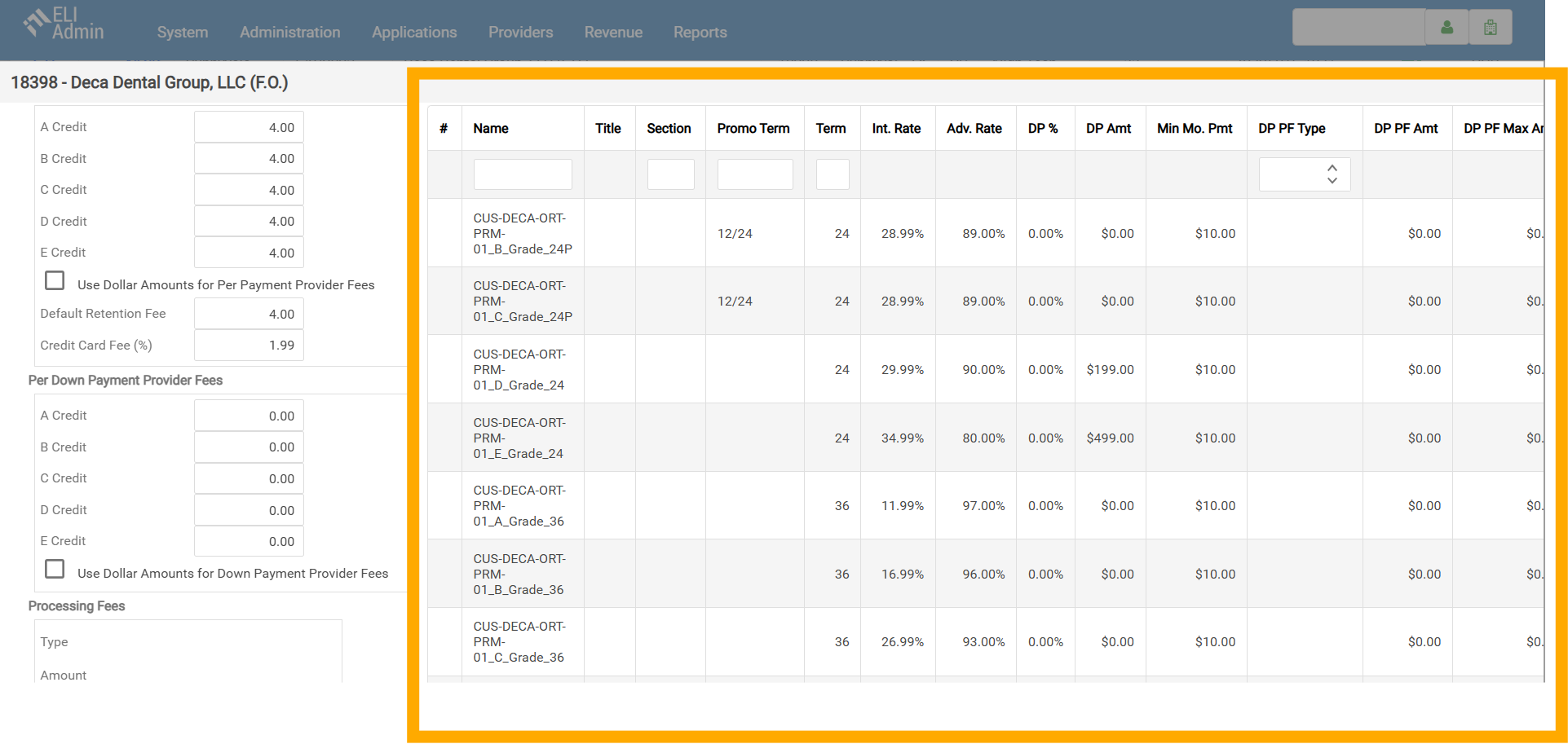
Use the glossary below to understand what each column represents and how it connects to the offers presented to the consumer.
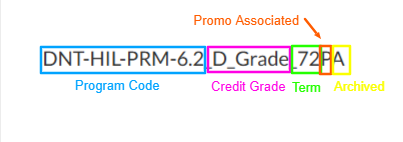
Examples: 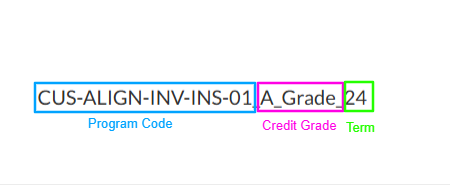
Glossary
| Column | Definition |
| Name |
This is the offer name. It includes the following components: Program Code- Credit Grade-Term Length-Promo Status- (P indicates this specific offer has a promo), Archive Status (A indicates this specific offer has been archived.) |
| Title | We don't use this field. |
| Section | We don't use this field. |
| Promo Term | Indicates the structure of the promotional term: the first number represents the promo months, and the second number represents the installment months. |
| Term | This is the standard installment term length. |
| Int. Rate | This is the interest rate charged to the consumer for this offer. |
| Adv. Rate | This is the advance rate paid to the provider. For example, at a 95.5% advance rate, the provider receives 95.5% of the total amount financed and HFD retains 4.5%. |
| DP % | If an offer has a down payment listed as a percentage, it will be in this field. |
| DP Amount | If an offer has a down payment that is a flat dollar amount, it will be in this field. |
| Min Mo. Pmt | This is the minimum monthly payment amount we accept for this specific offer. |
| DP PF Type | This indicates if there is a fee being charged to the patient when they make their down payment. It will be either percentage based or a flat dollar amount. |
| DP PF Amt | This field will populate if the down payment fee is a flat dollar amount. |
| DP PF Max Amt | If the down payment fee is a percenage-based amount, we set a maximum fee amount. That amount will be indicated in this field. |
| Min Fin. Amt | This is the minimum amount a patient can finance for this specific offer. |
| Max Fin. Amt | This is the maximum amount a patient can finance for this specific offer. |