.png?width=225&height=106&name=mockup%20(32).png)
Table of Contents
Identifying a Chargeback in the Consumer Leger
Identifying a Chargeback in the Notes
Example of Canned Note and Follow Up Task
What is a Chargeback?
A chargeback occurs when a customer asks their bank or credit card provider to reverse a transaction instead of requesting a refund or disputing the charge directly with the provider or HFD. The card network or bank (for example, Visa or Mastercard) then reviews the claim and may temporarily remove the funds from the provider while the investigation is in progress. Some chargebacks are valid, but some may involve fraud when an individual receives services without intending to pay.
HFD must then contest the chargeback and provide the card network or bank with documentation demonstrating that the disputed funds are legitimate..
Identifying a Chargeback in the Consumer Ledger
-
Log in the Ops Portal (ELI)
-
Enter the Proc ID (Internal HFD Patient Identifier) in the search bar or:
-
Select Applications> Manage Applications in the navigation menu
-
Search by any field it he Applications Table
-
Click the Proc ID
-
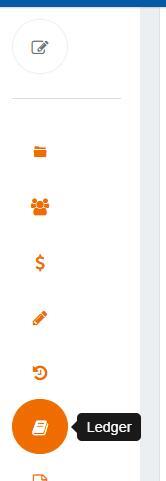
On the left side menu select the Ledger Icon
-
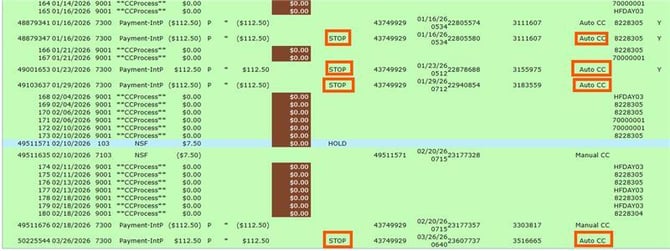
In the Ledger section there will be rows of payments. You can determine a Credit or Debit Card Chargeback if you see in the "Acct'ing Code" have the keyword "STOP" & the "Pmt Type" = "Auto CC" OR "Manual CC"

Identifying a Chargeback in the Notes
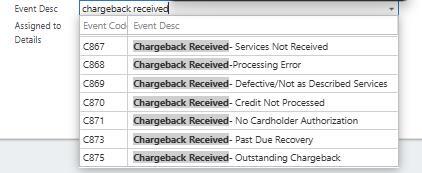
Each time a payment is stopped on the Ledger by the Chargeback Team it will automatically create a canned note & a follow up task for the Customer Care Chargeback Team to call the customer.
❗The note will automatically change the payment sub-status to CHBK; but after the follow up call is made Customer Care Chargeback team removes this sub-status.
Chargeback Note Codes: